Download a screening report for a customer
Last updated: November 20, 2026
Why screening reports matter
Regulated firms and their partners, such as sponsor banks and banking-as-a-service (BaaS) providers, are often required to demonstrate their adherence to regulations. A screening report is a record of your due diligence on a Customer, for regulators and auditors. It shows that you have:
Initially screened a Customer: Screened them for anti-money laundering and countering the financing of terrorism (AML/CFT) at the time of onboarding.
Monitored a Customer on an ongoing basis: Kept them under ongoing monitoring and reviewed the cases it raised.
What screening reports contain
A screening report in ComplyAdvantage Mesh records how one Customer was screened and monitored. It includes:
Initial screening results: The outcome of your initial risk assessment during onboarding.
Ongoing monitoring results: The monitoring status and frequency, the number of screens, and the dates of the first and last screen.
Screening configurations: The specific rules and criteria used to assess the Customer.
Decisions and notes: Each case with its decision, its decision note and the user who closed it, and the status of each match.
Generating screening reports
Downloading a report in the Web platform requires the View customers permission and view access to at least one case type, as described in How do I control which roles can access each case type?
The Download screening report action is displayed only for Customers whose status is Active, Processing, or Closed.
Follow these steps to generate a screening report:
Select Customers from the main header and open the Customer record.
Select Actions.
Select Download screening report.
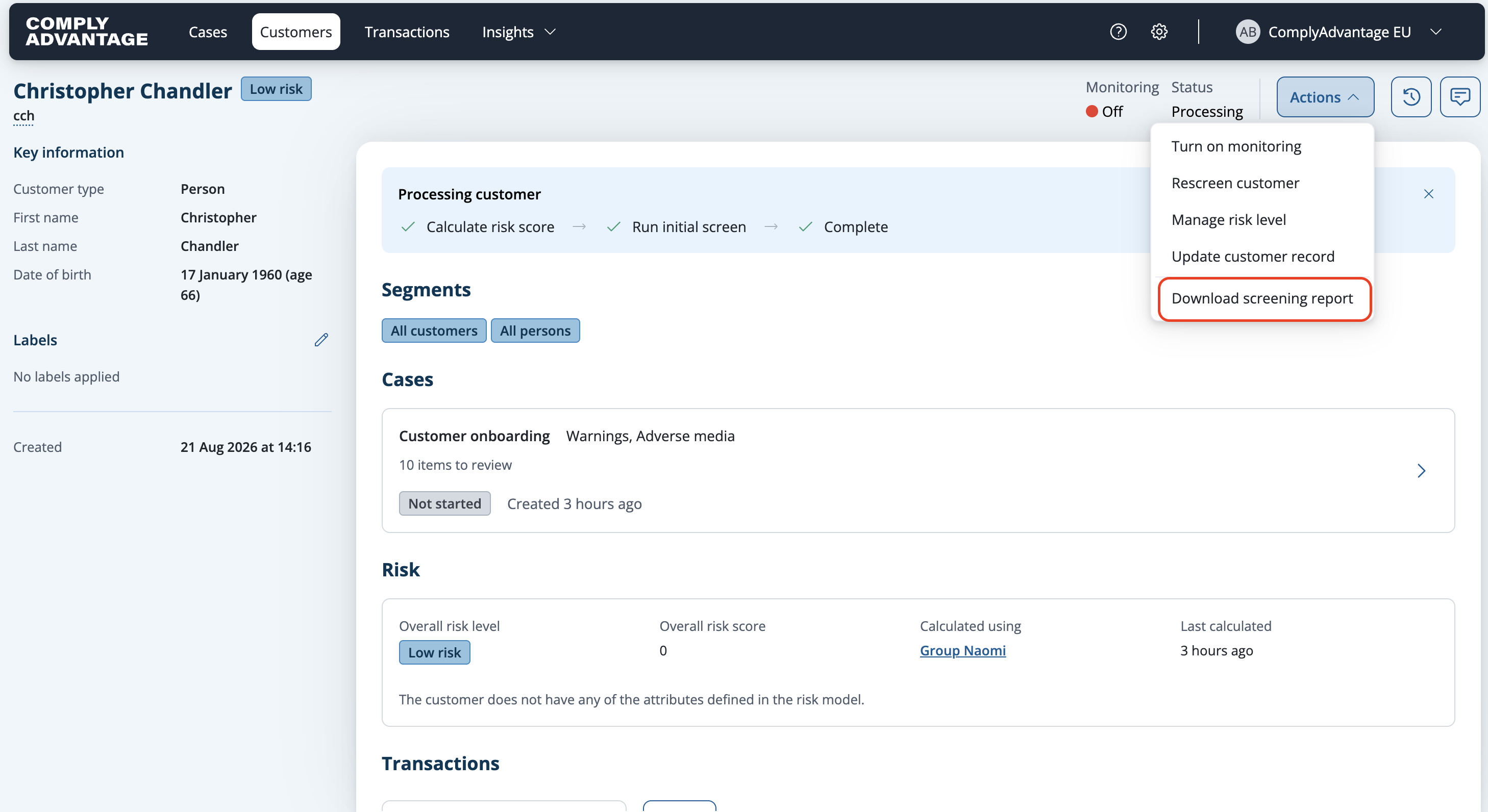
The report, a PDF file, downloads automatically. Keep the tab open until the download is complete. If the report is not ready yet, Mesh displays “Could not generate screening report. Please try again in a few minutes.”
Screening reports for many Customers
Each screening report covers one Customer, whether it is generated in the Web platform or through the Mesh API.
To generate reports for many Customers, request one report per Customer through the Mesh API, as described in the Mesh API reference.